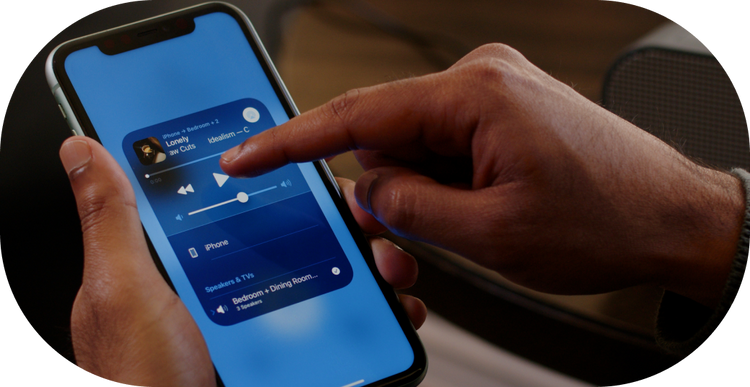
Creating a powerful home audio setup can enhance the overall entertainment experience, whether it’s for watching movies, listening to music, or gaming. Connecting multiple speakers is a great way to achieve a more immersive sound. This article explains how to configure a robust audio system at home, ensuring every corner of your living space is filled with high-quality sound.
Choosing the Right Speakers
The first step in creating an effective home audio system is selecting the right speakers. Consider the following factors:
- Room Size: Larger rooms may require more speakers or speakers with higher output to fill the space with sound.
- Speaker Type: Decide between floor-standing, bookshelf, or in-wall speakers based on your space and aesthetic preferences.
- Compatibility: Ensure that your speakers are compatible with your audio receiver or amplifier.
Connecting Multiple Speakers
Once you have selected your speakers, the next step is to connect them correctly. Here are some methods:
Using an Audio Receiver
An audio receiver can be the central hub for connecting multiple speakers. It allows for the management of input devices and controls the output to the speakers. Follow these steps:
- Connect the audio receiver to your TV or music player using HDMI or optical cables.
- Connect each speaker to the receiver using speaker wire, ensuring that the polarity is correct to avoid phase issues.
- Configure the speaker settings on the receiver to match your room layout for optimal sound distribution.
Wireless Options
With advancements in technology, wireless speakers offer a flexible option for a home sound system without the clutter of cables. Many modern systems use Bluetooth or Wi-Fi for connectivity:
- Ensure that your speakers support the same wireless protocol (e.g., Bluetooth or Wi-Fi).
- Use an app or device settings to pair the speakers with your music source.
- For a multi-room setup, consider using a system that supports mmulti bluetooth speakers to stream audio to multiple speakers simultaneously.
Optimizing Speaker Placement
Proper speaker placement is crucial for achieving the best sound quality. Consider the following tips:
- Height: Place speakers at ear level when seated for the best sound clarity and direction.
- Distance: Ensure speakers are evenly spaced and at an equal distance from the listening area to maintain balanced audio.
- Wall Reflections: Be mindful of walls and furniture that may reflect sound waves, which can affect audio clarity.
Advanced Audio Settings
For those seeking to fine-tune their audio experience, most modern receivers and apps offer advanced settings that can be adjusted:
- Use the equalizer settings to adjust the bass, midrange, and treble levels according to your preference.
- Explore built-in sound presets such as cinema, music, or game modes for tailored sound experiences.
- Consider using technologies like AirPlay to use AirPlay Mac for streaming high-quality audio wirelessly.
Conclusion
Connecting multiple speakers for a powerful home audio setup involves selecting the right equipment, properly connecting and placing the speakers, and optimizing settings to achieve the best sound quality. Whether you opt for wired or wireless solutions, the key is to ensure compatibility and thoughtful placement. By following these guidelines, you can transform your living space into a dynamic audio environment that enhances every auditory experience.
For further insights and equipment options, consider exploring resources on how to connect multiple speakers effectively.