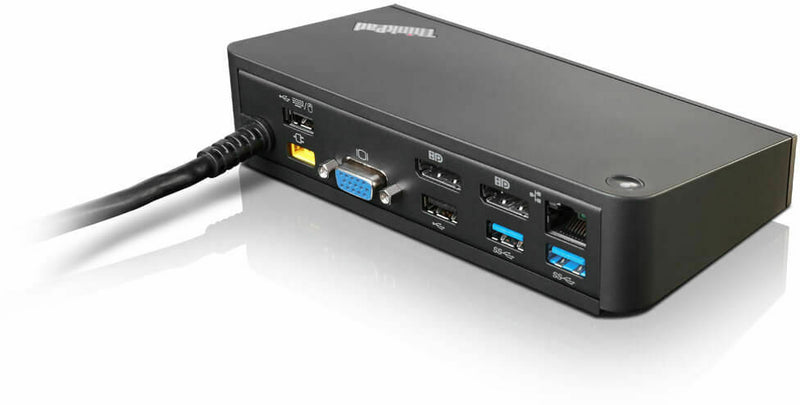
The Microsoft Surface Laptop is renowned for its sleek design and powerful performance. However, to fully capitalize on its capabilities, incorporating a docking station into your setup can be extremely beneficial. Docking stations expand the connectivity options of your laptop, allowing you to connect additional peripherals, external displays, and other essential devices with ease. With a myriad of options available in the market, selecting the ideal docking station can be daunting. This article will guide you through some of the best choices available, helping you enhance your productivity and transform your Surface Laptop into a versatile powerhouse.
Understanding Docking Stations
Before delving into specific models, it is crucial to understand what a docking station is and the benefits it offers:
- **Multiple Connectivity Options**: Docking stations provide a variety of ports including USB, HDMI, and Ethernet, allowing simultaneous connections to multiple devices.
- **Enhanced Productivity**: With the ability to connect to multiple monitors and peripherals, users can create a more efficient workspace.
- **Portability and Convenience**: Docking stations simplify the process of connecting and disconnecting devices, making it easier to transition between home and office settings.
Top Docking Stations for Microsoft Surface Laptops
1. Surface Dock 2
The Surface Dock 2 is a top contender for anyone looking to expand the capabilities of their Microsoft Surface Laptop. It seamlessly integrates with the Surface series, providing a smooth and efficient connection.
- **4 USB-C Ports**: Offers fast data transfer and charging capabilities.
- **2 USB-A Ports**: Ideal for connecting older peripherals.
- **Ethernet Port**: Ensures a stable and fast internet connection.
- **Dual 4K Monitor Support**: Enhances productivity with support for dual monitors.
For more details on Surface-compatible docking stations, explore the microsoft surface laptop docking station options available online.
2. Dell D6000 Universal Dock
The Dell D6000 Universal Dock is an excellent choice for those who require flexibility and cross-device compatibility. It is designed to work seamlessly with a range of laptops, including the Microsoft Surface series.
- **3 USB 3.0 Ports**: Provides ample connectivity for various devices.
- **Single Cable Connectivity**: Simplifies the process of connecting your laptop.
- **Dual 4K Display Support**: Offers enhanced visual clarity and extended display options.
- **Plug and Play**: Easy to set up, with no additional drivers required for Windows systems.
3. Kensington SD7000 Surface Pro Docking Station
Designed specifically for Surface devices, the Kensington SD7000 provides an ergonomic and functional docking solution.
- **Magnetic Connection**: Offers a secure docking experience.
- **Adjustable Viewing Angles**: Enhances comfort with adjustable positioning.
- **4 USB Ports**: Supports multiple peripherals.
- **Integrated Charging**: Keeps your Surface device charged while docked.
Factors to Consider When Choosing a Docking Station
When selecting a docking station for your Microsoft Surface Laptop, consider the following factors:
- **Port Selection**: Ensure the docking station has the necessary ports for your devices.
- **Compatibility**: Check if the docking station is compatible with your Surface Laptop model.
- **Price**: Balance the features offered with your budget.
- **Future Proofing**: Consider potential future needs, such as additional monitors or peripherals.
In conclusion, choosing the right docking station can significantly enhance your Microsoft Surface Laptop’s functionality and your productivity. Whether you opt for the Surface Dock 2, the Dell D6000, or the Kensington SD7000, ensure that it aligns with your specific needs and work environment. For a comprehensive selection, explore more options in the microsoft surface laptop docking station range.