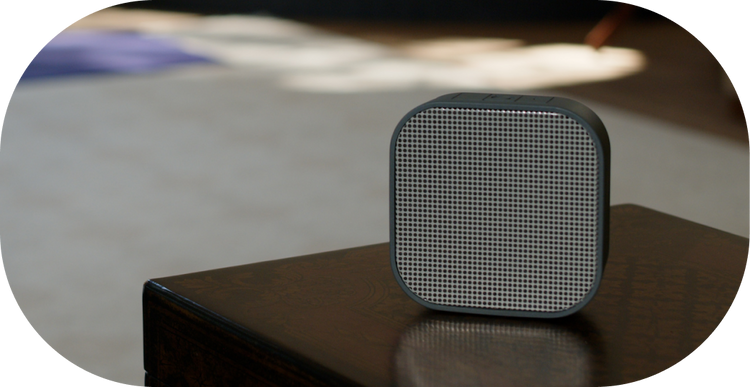
Setting up a home sound system can transform your living space into a personal theater, providing an immersive audio experience. With technologies like AirPlay, it’s easier than ever to connect multiple speakers and enjoy high-quality sound throughout your home. This guide will walk you through the essentials of setting up a home sound system using AirPlay, ensuring you get the most out of your audio setup.
Understanding AirPlay and Its Benefits
AirPlay is a wireless streaming protocol developed by Apple, allowing users to stream audio and video from their Apple devices to compatible speakers and displays. Here are some advantages:
- Wireless connectivity, reducing clutter and installation complexity.
- High-quality audio streaming without compression loss.
- Seamless integration with Apple devices for easy control and access.
Essential Components for Your Home Sound System
Speakers
Choosing the right speakers is crucial. Consider the following:
- Number and size of speakers based on the room size and acoustics.
- Compatibility with AirPlay for effortless streaming.
- Options for wired or wireless connectivity to suit your preferences.
Network Requirements
A reliable Wi-Fi network is fundamental for a robust AirPlay setup. Ensure:
- Your router supports the newest Wi-Fi standards for optimal performance.
- Consistent signal strength in areas where speakers are placed.
- Secure network settings to protect your streaming data.
Setting Up AirPlay with Your Sound System
Initial Setup
To use AirPlay Mac effectively, follow these steps:
- Ensure all devices, including your Mac and speakers, are connected to the same Wi-Fi network.
- On your Mac, open System Preferences and navigate to Sound settings.
- Select your AirPlay-enabled speakers from the list of available output devices.
Connecting Multiple Speakers
For a comprehensive audio experience, you might want to connect multiple speakers across different rooms:
- Use the Home app on your iPhone or iPad to group speakers and control them simultaneously.
- Ensure all speakers are AirPlay 2 compatible for multi-room audio.
- Adjust individual speaker volumes to create a balanced sound profile.
Optimizing Your Sound System
Sound Quality Enhancements
To enhance the audio quality of your home sound system, consider these tips:
- Position speakers at ear level and away from walls to minimize sound reflection.
- Use equalizer settings to adjust bass and treble according to your preferences.
- Regularly update your device firmware to benefit from the latest features and improvements.
Troubleshooting Common Issues
Occasionally, you may encounter issues with your AirPlay setup. Here are some troubleshooting tips:
- Restart your router and check the network connection if streaming is interrupted.
- Ensure all devices are updated to the latest software versions.
- Consult the speaker manufacturer’s website for specific troubleshooting steps related to AirPlay.
In conclusion, setting up a multi bluetooth speakers system with AirPlay can significantly enhance your home audio experience. By carefully selecting components, optimizing your network, and following setup guidelines, you can enjoy seamless, high-quality sound throughout your home.